How to do an SEO audit: a simple step-by-step guide
Igor Silva
Founder of KeywordsDB

Launch atop a Skyscraper - Charles Clyde Ebbets
An SEO audit sounds like the kind of job you put off until traffic drops and panic sets in. In reality, it is much simpler than that. It is just a structured way to answer a few blunt questions: can search engines crawl your site, can they understand your pages, and are there obvious problems quietly dragging performance down?
Most sites are not held back by one dramatic error. It is usually a pile of smaller issues: weak title tags, missing meta descriptions, messy heading structure, orphan pages, broken links, slow pages, or pages that are hard to crawl. None of those problems is especially glamorous, but together they can absolutely hold a site back.
Run a free SEO audit first
If you want to audit a site without paying for expensive crawler software, use the free KeywordsDB tool here:
It runs 20+ checks across meta tags, content, technical SEO, links, and performance. It also includes PageSpeed Insights data, so you can see page speed and Core Web Vitals signals alongside crawl findings in the same report. It crawls up to 1,000 pages completely free, and it also generates an LLM prompt you can give to your agent to help fix what it finds. No account or sign-up required.

What an SEO audit is actually checking
A good audit is not just a list of errors. It is a way to see whether the site is healthy from multiple angles:
- Meta tags: Are your titles, descriptions, canonicals, and Open Graph tags present and sensible?
- Content: Do pages have enough substance, clear heading structure, and basic image alt text?
- Technical SEO: Are HTTPS, robots.txt, sitemap.xml, structured data, and other foundations in place?
- Links: Can crawlers move through the site easily, or are there broken links and orphan pages?
- Performance: Are pages reasonably fast and lightweight, and do PageSpeed Insights metrics show problems with Core Web Vitals or page experience?
That is what makes audits useful. They take a fuzzy question like "why is this site underperforming?" and turn it into concrete things you can actually inspect and fix.
Performance deserves more attention than it usually gets. It is easy to treat speed metrics like developer trivia, but they matter for SEO in a few practical ways. Slow pages waste crawl budget on larger sites, make users bounce faster, and can weaken the overall page experience signals Google uses as part of ranking. A page with weak content will not rank just because it is fast, but a strong page can absolutely underperform when the experience is slow, unstable, or frustrating.
How to do an SEO audit, step by step
1. Crawl the whole site, not just the homepage
This is where a lot of people go wrong. They look at the homepage, maybe a few blog posts, and assume they have audited the site.
But SEO problems usually live deeper in the structure. Category pages, old blog posts, thin landing pages, pagination, filter pages, and stale content are where the weird stuff tends to show up. A crawler matters because it finds patterns across the whole site instead of showing you a single polished page.
That is why the KeywordsDB audit is useful. It can crawl up to 1,000 pages, which is enough to catch recurring problems across most small and medium-sized sites.
2. Fix the pages search engines struggle with first
Not every issue deserves the same attention. If search engines cannot crawl a page properly or are getting mixed signals about whether it should be indexed, that is more urgent than polishing a meta description.
Look first for the high-impact technical problems:
- Pages blocked unintentionally
- Missing or confusing canonical signals
- Broken pages and broken internal links
- Missing robots.txt or sitemap support
- Very slow or oversized pages
The useful mindset here is simple: fix the things that prevent discovery and understanding before you fine-tune the cosmetic stuff.
This is where the PageSpeed Insights data helps. Instead of guessing whether a page merely feels slow, you can see concrete metrics like Largest Contentful Paint, Interaction to Next Paint, and Cumulative Layout Shift. Those numbers help you separate pages that are just a little heavy from pages that are actively creating a worse search and user experience.
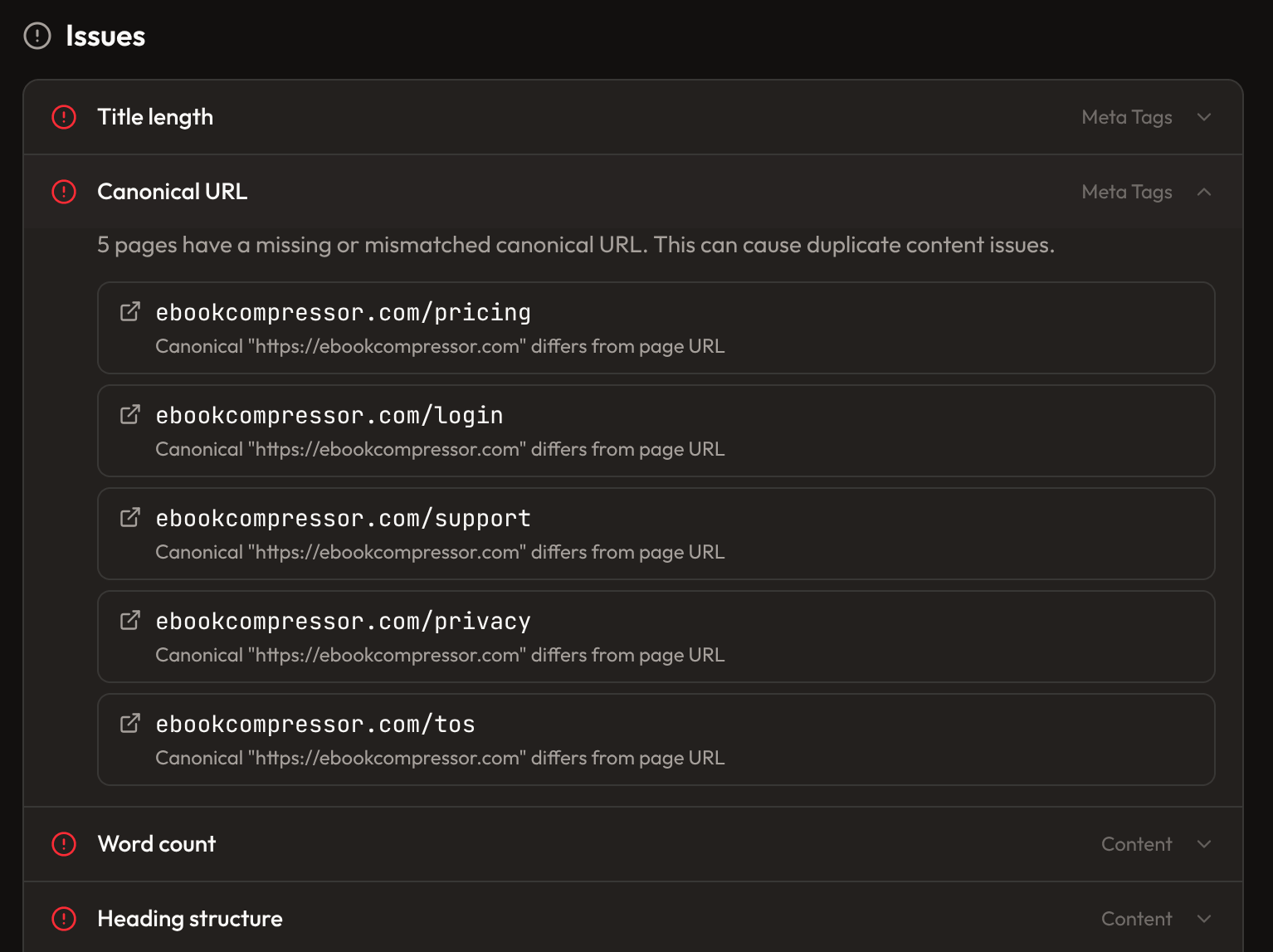
3. Clean up your on-page basics
Once the crawl and indexing layer looks sane, move to the basics of on-page SEO.
This means checking whether pages have unique titles, useful meta descriptions, clear H1s, sensible heading hierarchy, and content that actually matches the topic. You are not trying to hit some perfect SEO score. You are trying to make each page easier for both search engines and humans to understand.
A good rule of thumb is this: if a page looks vague, thin, repetitive, or confusing to a person, it probably looks that way to Google too.
4. Review internal links like they matter, because they do
Internal linking is one of the most underrated parts of an audit.
A page can be well written and technically fine, but if nothing important links to it, it becomes harder to discover and harder to treat as important. On the other hand, a strong internal linking structure helps search engines understand which pages matter most and how topics relate to each other.
When you audit internal links, you are really checking three things:
- Whether important pages are easy to reach
- Whether related pages link to each other naturally
- Whether old pages are sitting in isolation with no useful links pointing in or out
This is also where orphan pages become valuable to find. They are often signs of content that exists, but is not really part of the site anymore.
5. Prioritize patterns, not random one-off fixes
If an audit shows one missing meta description, that is a small cleanup job.
If it shows 200 pages with the same missing or duplicated element, that is a system problem. Maybe the template is wrong. Maybe the CMS field is empty. Maybe a recent migration broke something.
This is the part that separates a useful SEO audit from a tedious one. Do not just work down a spreadsheet row by row. Group issues by pattern, fix the root cause, and then re-run the audit to confirm the fix actually worked.
The most useful part: the LLM prompt
A lot of SEO tools stop at the report. They tell you what is broken, then leave you staring at a list of issues wondering how to turn that into actual changes.
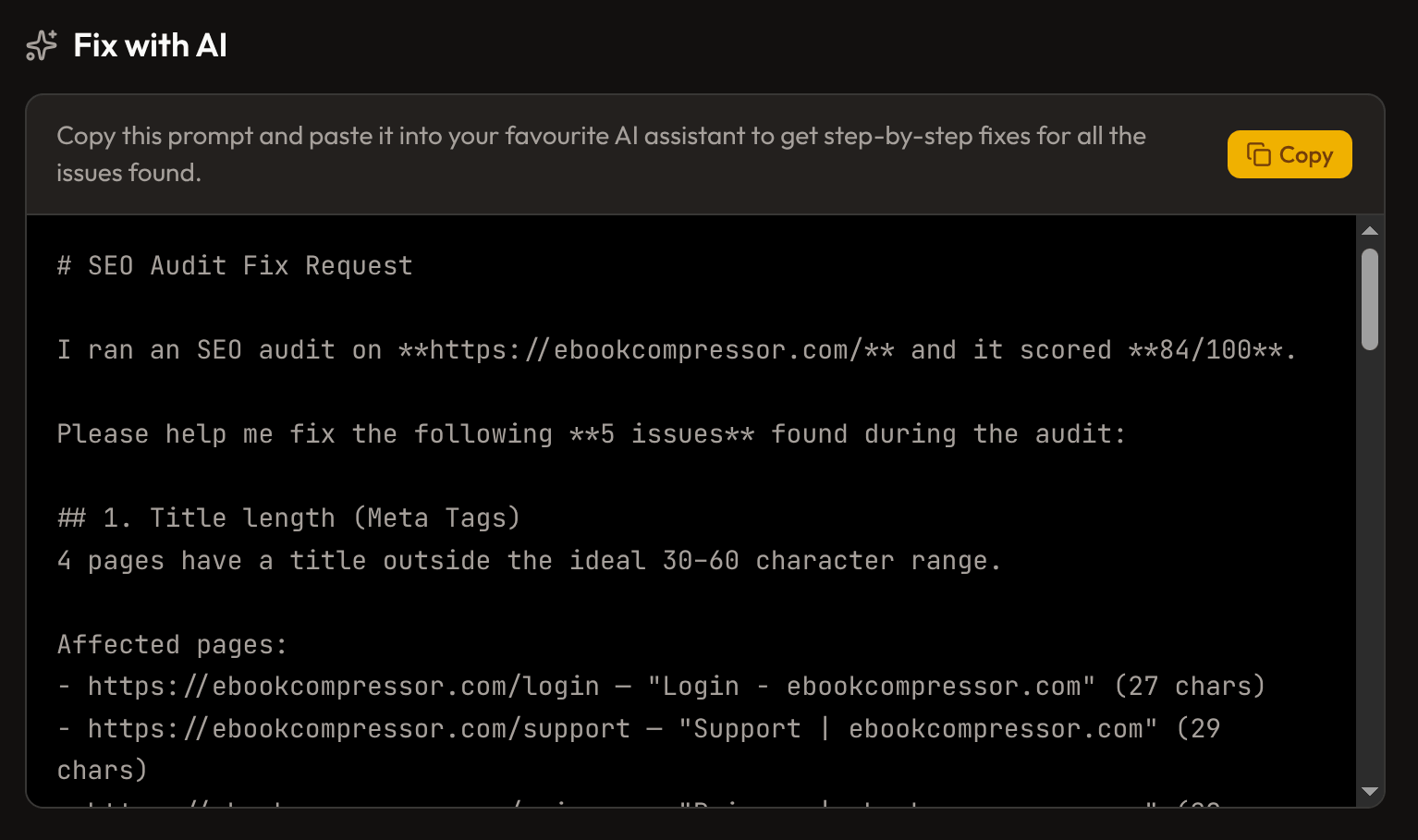
The nice part of the KeywordsDB audit is that it also gives you an LLM prompt built from the findings. You can hand that prompt to your coding agent, content agent, or developer assistant and say, in effect, "Here is the site, here are the issues, help me fix them."
That makes the audit much more practical. Instead of manually translating SEO problems into technical tasks, you get a ready-made brief that can help with the next step.
For example, you can use it to:
- Turn audit issues into a prioritized fix list
- Ask an agent to update templates or metadata rules
- Rewrite weak titles and descriptions
- Plan internal linking improvements
- Create a clean implementation checklist for your team
Common SEO audit mistakes
The biggest mistake is treating the audit score like the goal.
The score is useful, but it is only a shortcut. The real goal is better crawlability, clearer pages, stronger internal linking, and fewer technical mistakes. If your score improves but the site is still hard to navigate, thin on content, or structurally messy, the number does not mean much.
Another common mistake is treating performance metrics like a nice extra instead of part of the audit. If PageSpeed Insights is telling you the page loads slowly, shifts around while rendering, or responds poorly to interaction, that is not just a UX problem sitting off to the side. It can affect how efficiently pages are crawled, how usable they feel, and how competitive they are against faster pages covering the same topic.
The second mistake is fixing low-impact details before high-impact blockers. A polished title tag does not help much if the page is effectively invisible in the site structure.
The third mistake is running an audit once and forgetting about it. SEO audits work best when they are part of routine maintenance, especially after redesigns, migrations, big content updates, or template changes.
Final thought
An SEO audit does not need to be a giant consulting exercise. It is just a way to find what is broken, what is weak, and what is worth fixing first.
If you want a simple place to start, run the free KeywordsDB audit. It checks 20+ areas, crawls up to 1,000 pages, and gives you an LLM prompt to speed up the fix phase too.
Related Articles

What Is Keyword Density? A Complete Guide for SEO
A simple guide to keyword density, what a good percentage looks like, and how to use a keyword density checker without over-optimizing your content.

How to find the best SEO keywords
A practical tutorial on how to do keyword research, how to find the best SEO keywords, and how to uncover ideas with KeywordsDB.

Introducing KeywordsDB: A powerful keyword research tool
Discover KeywordsDB, a new keyword research tool designed for small businesses. A simple but powerful interface and an extrmely affordable price.