How to find the best SEO keywords
Igor Silva
Founder of KeywordsDB

Children's Games - Pieter Bruegel the Elder
If you want to get traffic from Google, you need to identify keywords that people actually search for and that you have a shot at ranking for. Where a lot of people go wrong is when they either chase huge keywords that are too competitive, or get stuck staring at a blank search box with no idea where to start.
The good news is that keyword research is simpler than it looks when the tool does not force you into a single workflow.
In KeywordsDB, there are two easy ways to do it. You can start with a seed keyword and expand from there, or you can start with filters and discover ideas even if you do not have a topic in mind yet.
How to do keyword research
The goal is not to find the keyword with the biggest number. The goal is to find keywords that make sense for your site. Usually that means a mix of:
- Enough search volume to matter
- Weak competition
- Search intent that matches the page you want to create
Method 1: Start with a seed keyword
This is the most straightforward way to find keywords.
Let’s say you run a site about coffee. You can type something like "coffee grinder", "espresso machine", or "how to make cold brew" into KeywordsDB. The tool will return relevant keyword ideas related to that seed term.
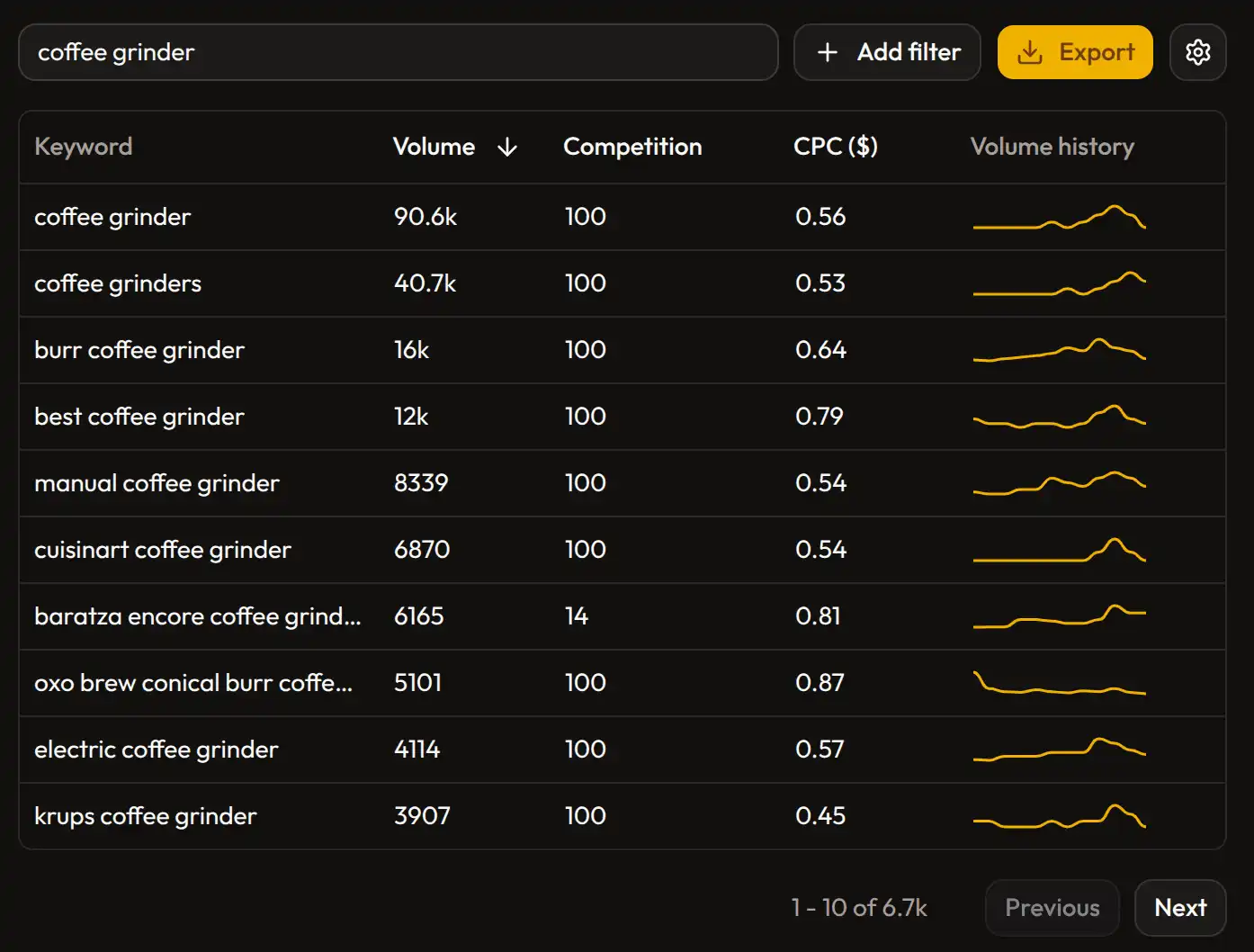
Scan the list for intent. A keyword can have nice volume and still be wrong for your page. "best coffee grinder" is probably a comparison article. "how to clean coffee grinder" is a tutorial. "coffee grinder under 200" is closer to a commercial page or affiliate post. Same topic, very different content.
Then, filter the table. This is where the useful stuff usually shows up. You can narrow results by volume, CPC, or competition and cut out the noise fast.
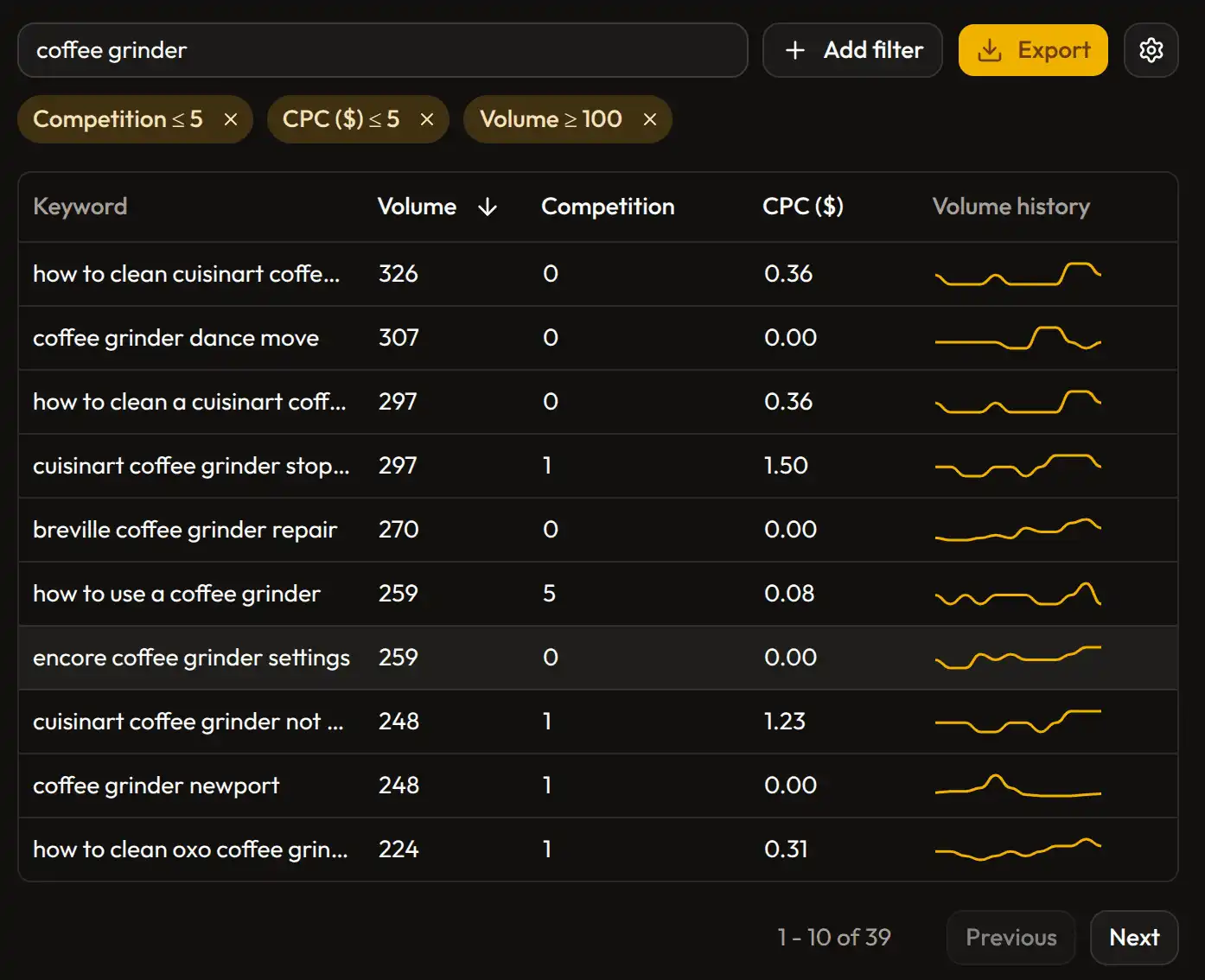
If your site is newer, it often makes more sense to ignore the giant head terms and focus on more specific keywords with lower competition. Those are usually easier to turn into content that can rank.
Method 2: Find keywords without a starting idea
This is my favorite part of KeywordsDB because most tools barely support it.
Sometimes you do not want to validate an idea. You want to discover one.
In KeywordsDB, you can do that by using filters without entering any seed keyword at all. For example, you can set a volume range, add a CPC filter, maybe cap the competition, and then browse the results.
That means you can ask the database questions like:
- Show me keywords with volume between 500 and 3,000
- Show me keywords with CPC below 2
- Show me keywords with lower competition
The result is a list of keyword ideas you may not have thought of on your own.
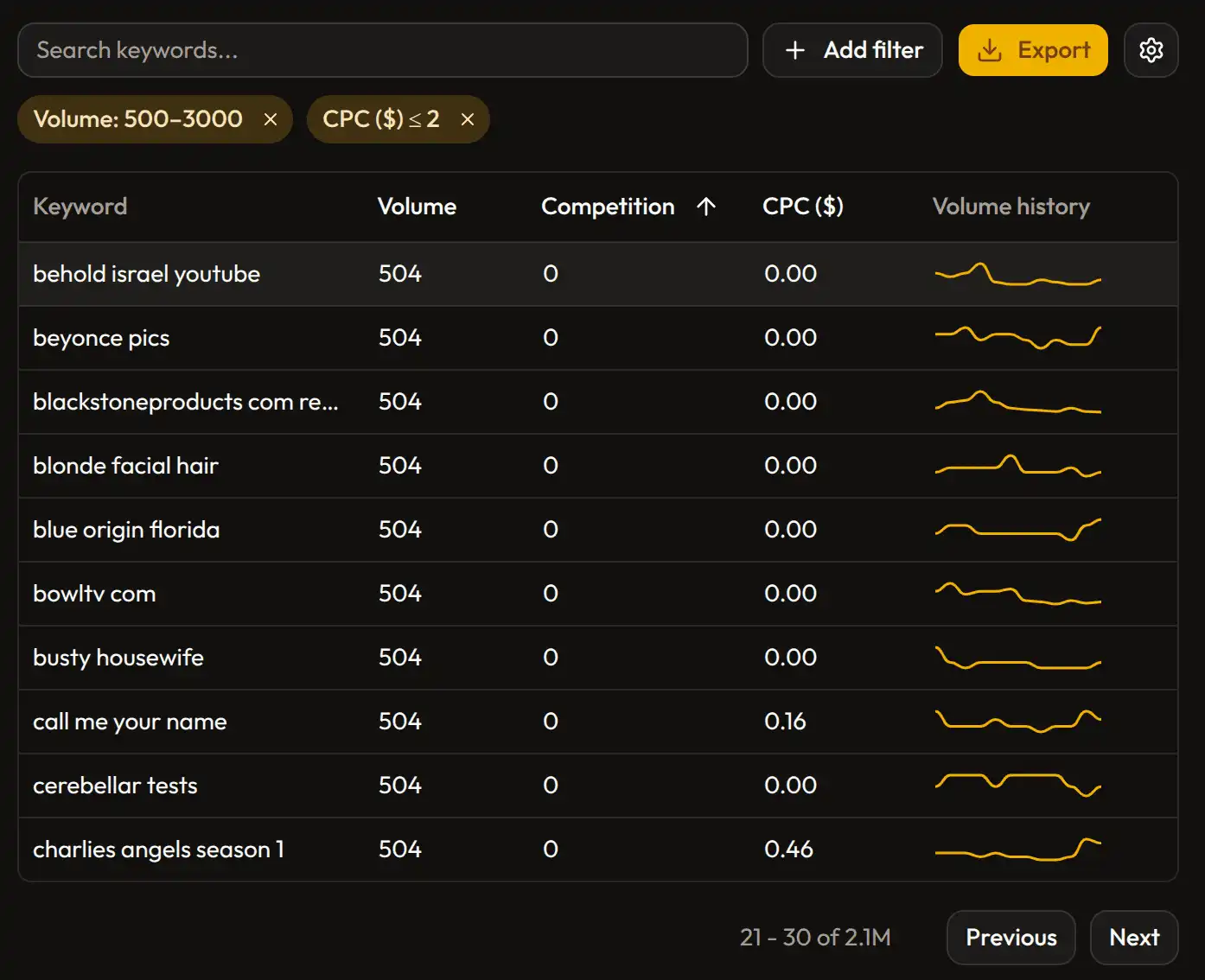
This is especially useful if you are exploring niches, looking for content gaps, or trying to find commercial topics that are not already obvious.
It is also a good way to avoid tunnel vision. If you always start from your own ideas, you only see variations of things you already had in mind. Filtering the broader database can surface opportunities you would never have typed into a search box.
A simple workflow to follow
If you want a repeatable process, this works well:
- Start with one seed keyword related to your niche
- Sort by volume to understand the topic cluster
- Filter by competition and CPC to narrow the list
- Save the keywords that look realistic and useful
- Run a second pass without a seed keyword to discover ideas outside your starting assumptions
That gives you both kinds of research. Focused expansion from a topic you already know, and broader discovery from the database itself.
Final thought
If you are wondering how to find keywords, how to do keyword research, or how to find the best SEO keywords, the answer is usually the same: start broad, filter aggressively, and use judgment.
KeywordsDB makes that process simple because you can work from either direction. Start with a seed keyword when you already have an idea. Start with filters when you want the data to give you ideas back.
That combination is what makes keyword research actually useful instead of just repetitive.
Try KeywordsDB for Free
You get 10 free searches when you sign up, with no credit card required. That is enough to test both workflows, explore some real niches, and build a shortlist of keywords worth pursuing.
Related Articles

Introducing KeywordsDB: A powerful keyword research tool
Discover KeywordsDB, a new keyword research tool designed for small businesses. A simple but powerful interface and an extrmely affordable price.

Can you trust data from keyword research tools?
A quick study on data from different keyword research tools, showing how much they can diverge and giving insights on how to interpret their data.